CrystalDiskInfo (CDI) Master Your Drive Health

A powerful disk monitoring tool that helps you understand and optimize the health of your system’s storage drives. Prevent data loss with real-time SMART analysis.

Trusted by over 5 million users worldwide.
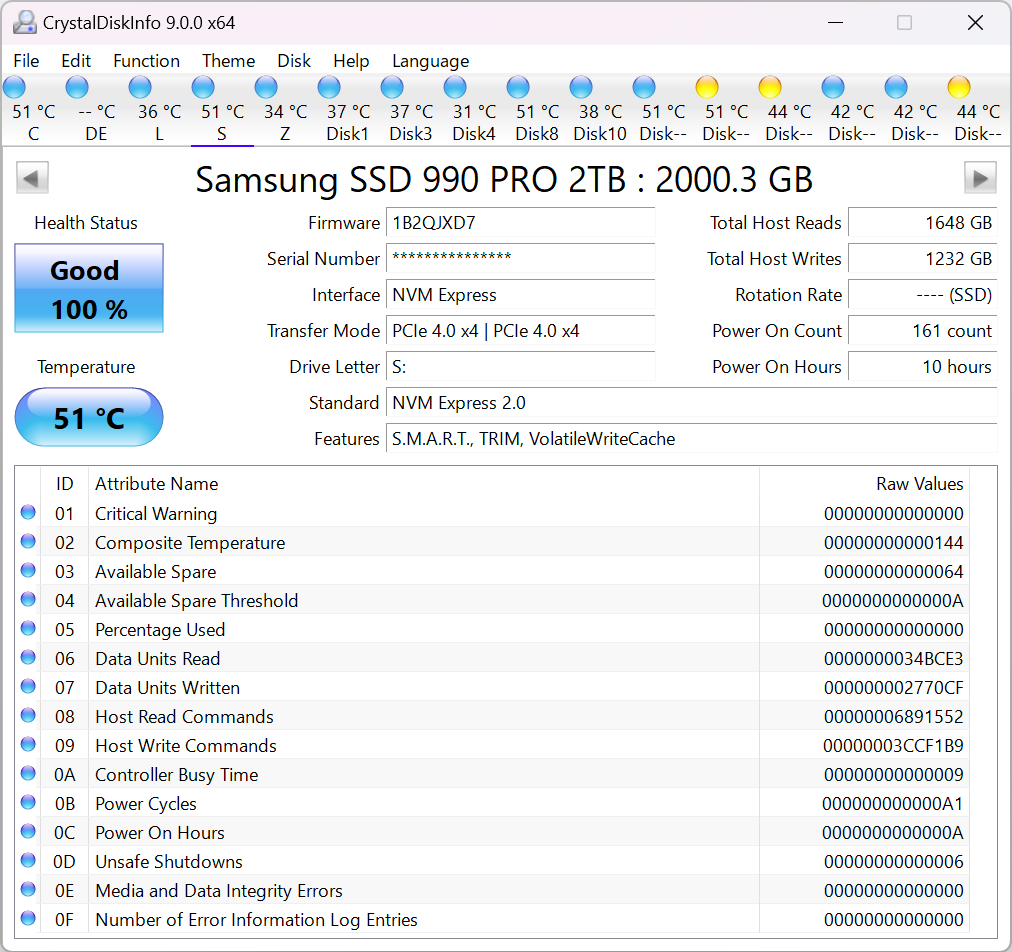
CrystalDiskInfo Dashboard Interface

Overview

What is CrystalDiskInfo?

CrystalDiskInfo is a comprehensive HDD/SSD utility software that supports S.M.A.R.T. (Self-Monitoring, Analysis and Reporting Technology). It is fully open-source, lightweight, and designed to provide complete visibility into your storage device's condition.

Capabilities

Key Features

Discover the powerful tools that make CrystalDiskInfo the industry standard for disk health monitoring.

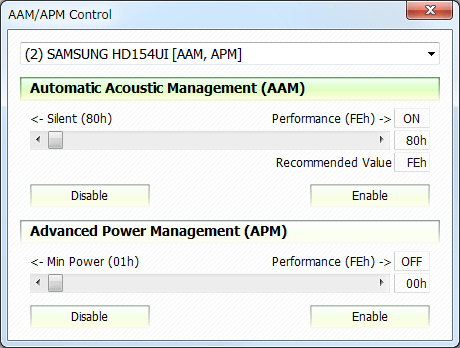
AAM-APM Control Interface

AAM-APM Control

Advanced control over Automatic Acoustic Management (AAM) and Advanced Power Management (APM) settings to balance noise and performance.

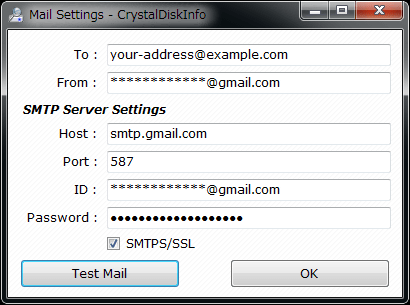
Alert Mail Configuration

Alert Mail

Receive instant email notifications when drive health deteriorates or temperatures exceed safe thresholds, ensuring 24/7 monitoring.

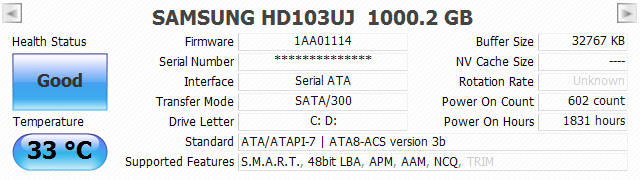
General Information Dashboard

General Info

Comprehensive overview of firmware, serial numbers, interface details, and transfer modes for all connected storage devices.

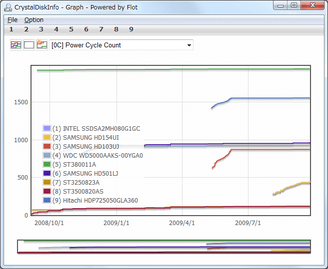
SMART Data Graphs

Graph of S.M.A.R.T. Info

Visual historical trends of S.M.A.R.T. attributes, allowing you to track degradation patterns over time.

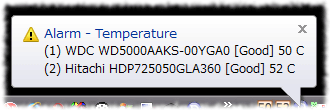
Resident System Tray and Alarm

Resident and Alarm

Runs quietly in the system tray with customizable alarm sounds to warn you immediately of any critical status changes.

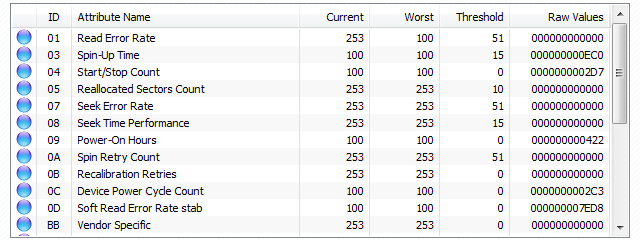
Detailed SMART Information

S.M.A.R.T. Information

Deep dive into raw values of S.M.A.R.T. attributes like Read Error Rate, Power-On Hours, and Reallocated Sector Count.

Who is CrystalDiskInfo For?

IT Administrators

Monitor fleets of workstations and servers to predict drive failures before they cause data loss.

PC Enthusiasts

Keep your gaming rig or workstation running at peak performance by monitoring NVMe SSD temperatures.

Developers

Verify storage integrity and performance when building I/O intensive applications.

Why Choose Us

Comparison: CrystalDiskInfo vs. Alternatives

See how CrystalDiskInfo stacks up against other popular disk utility tools.

Feature
CrystalDiskInfo
Hard Disk Sentinel HD Tune Pro HDDScan
Price / License Free (Open Source) Paid (~$30) Paid (~$35) Free
Primary Focus SMART Monitoring Repair & Enterprise Benchmarking Diagnostics
Interface
Modern / Anime
Industrial Complex Dated Style Simple / Basic
Surface Scan
No
Yes (Advanced)
Yes (Basic) Yes (Good)
Real-time Alerts
Yes (Tray/Sound)
Yes (Comprehensive) Limited
No

* Recommendation: Use CrystalDiskInfo for continuous health monitoring and another tool if deep surface repair is needed.

Choose Your Edition

Available in multiple themes to suit your style. All versions are 100% free.

Standard Edition

Standard Edition

Classic lightweight design.

Aoi Edition

Aoi Edition

Featuring Aoi character theme.

Shizuku Edition

Shizuku Edition

Featuring Shizuku character theme.

Kurei Kei Edition

Kurei Kei Edition

Featuring Kurei Kei character theme.

Another Products

Explore our other powerful system utilities for comprehensive performance testing.

CrystalDiskMark Icon

CrystalDiskMark

Disk Benchmark

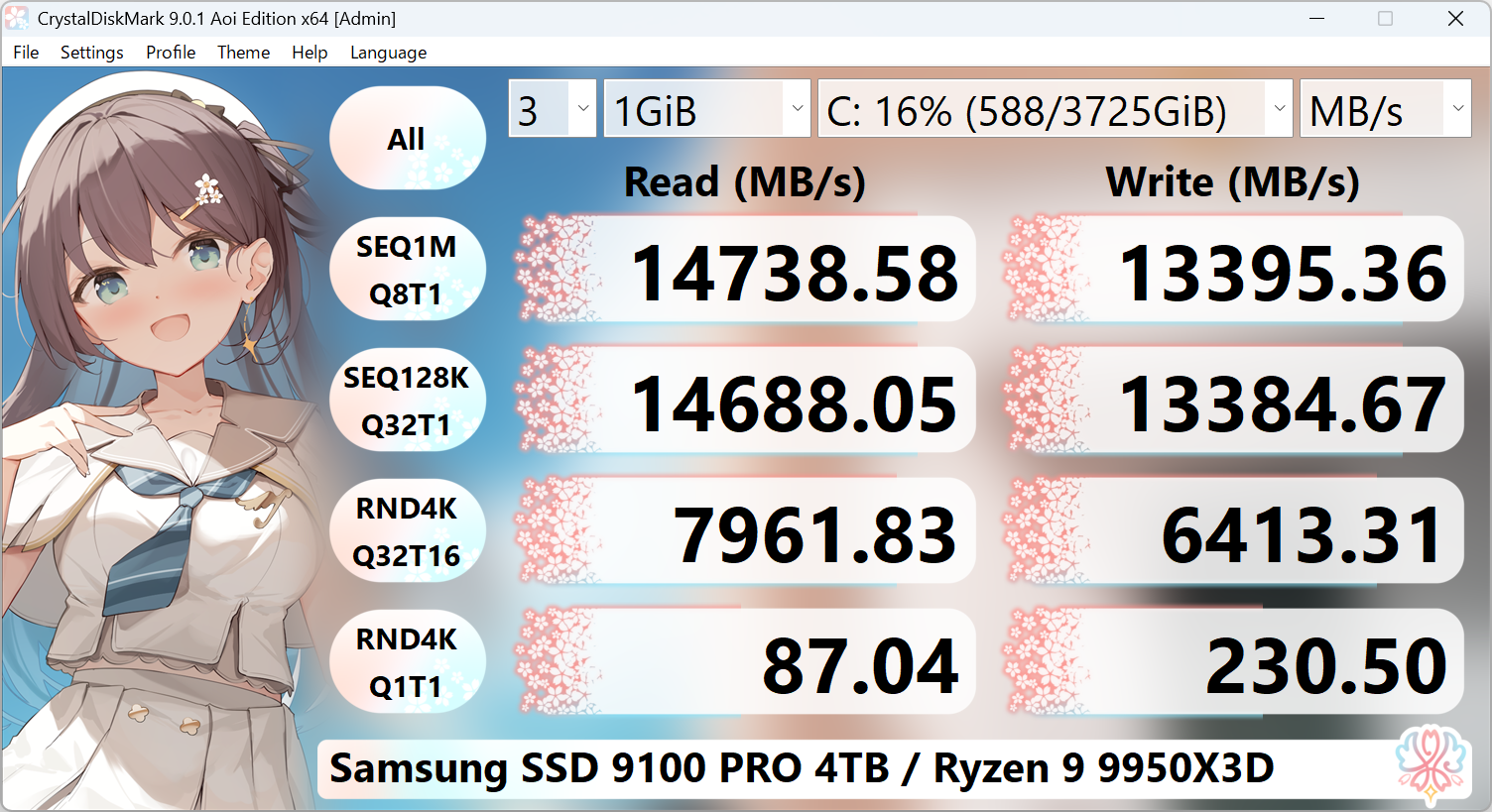
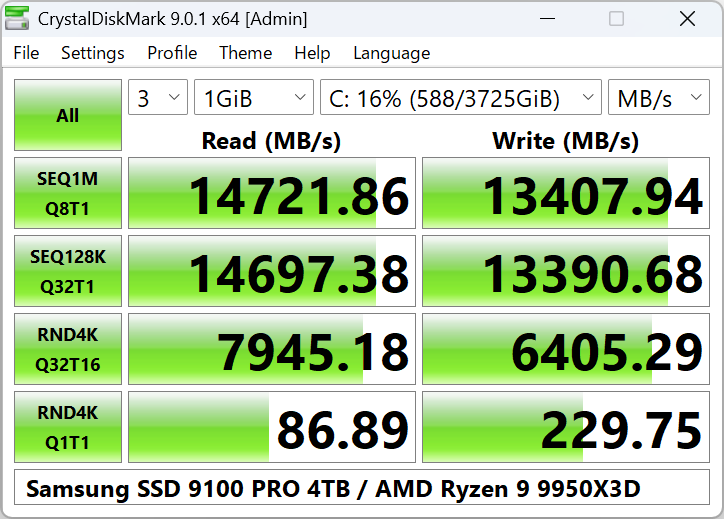
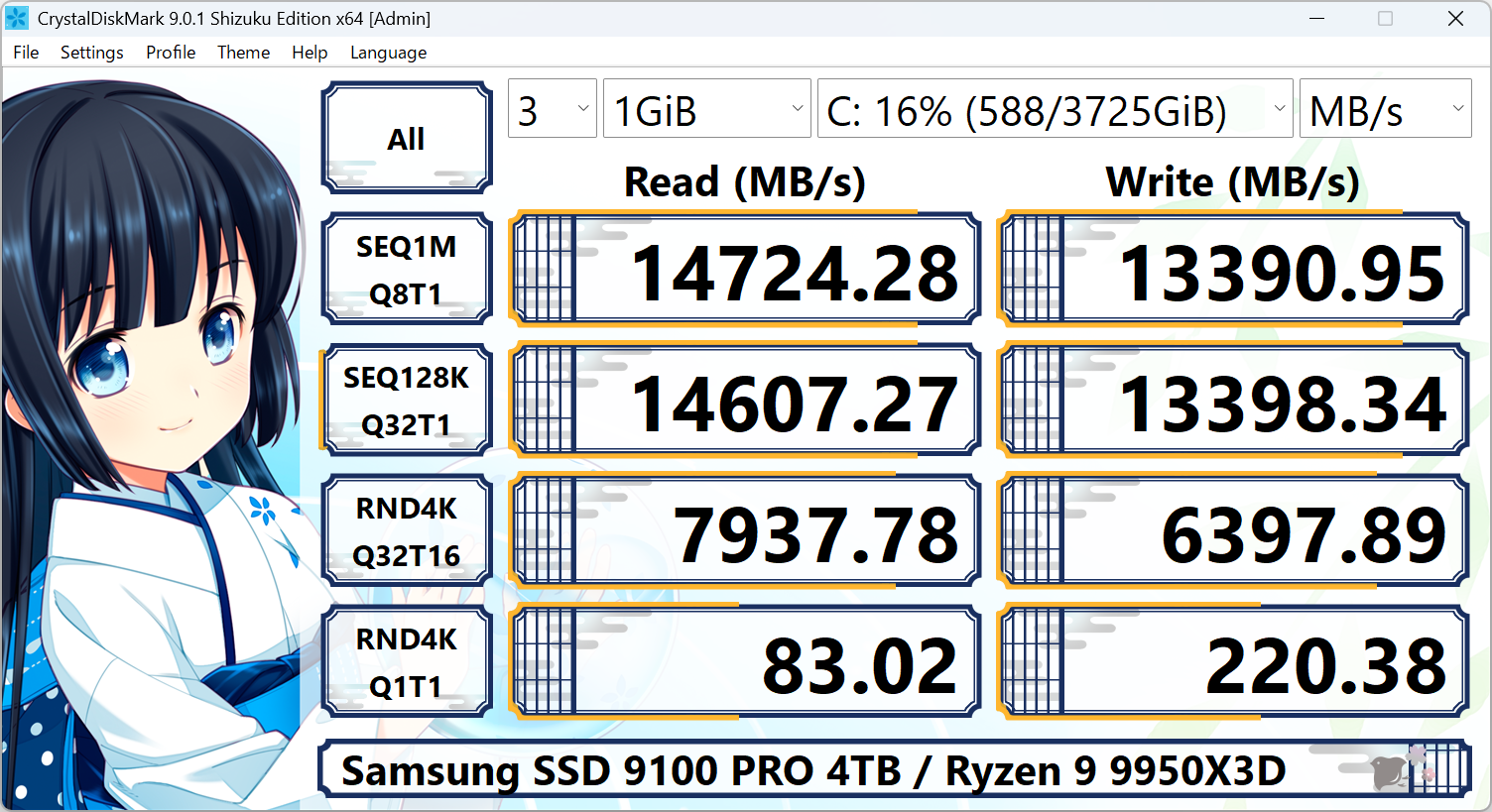
A simple yet powerful disk benchmark software to measure sequential and random read/write speeds of your storage devices.

CrystalDiskMark Aoi Theme
CrystalDiskMark Default
CrystalDiskMark Shizuku Theme
CrystalMark Retro Icon

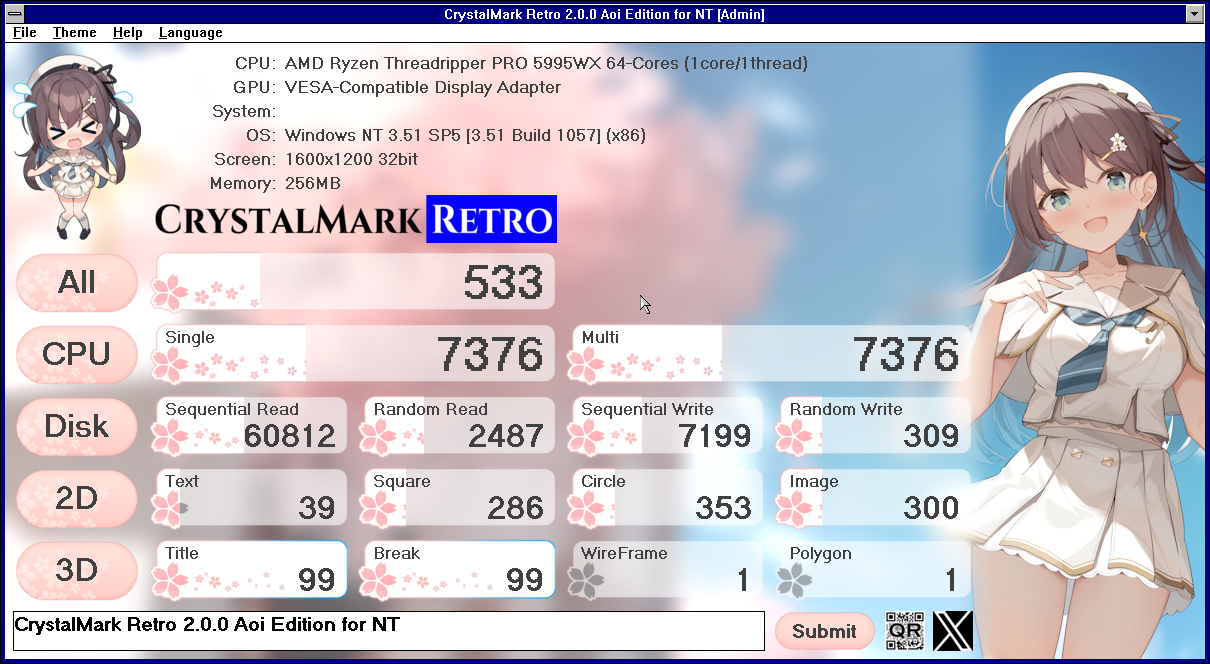
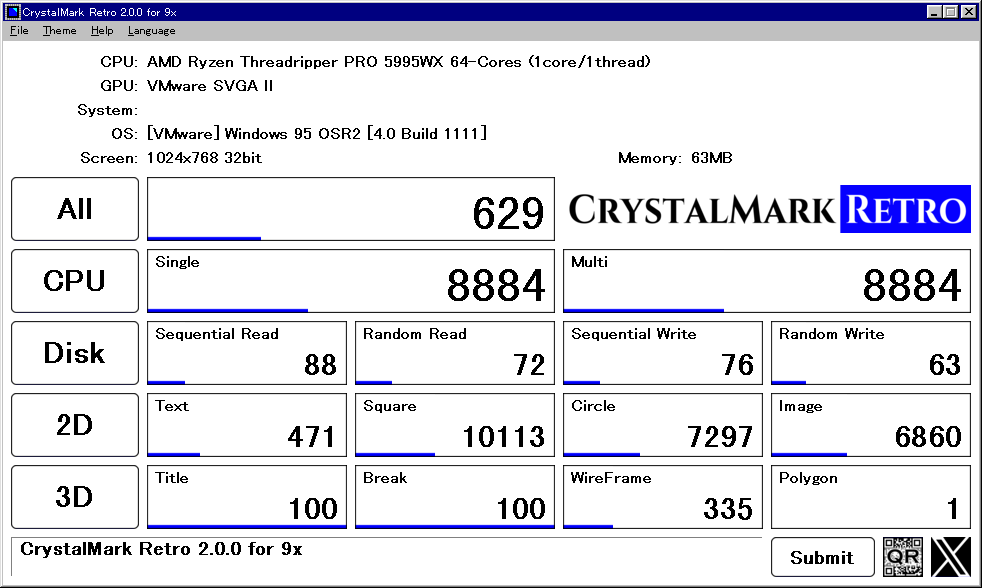
CrystalMark Retro

Comprehensive Benchmark

  • CPU & Storage Benchmark
  • 2D Graphics (GDI) Performance
  • 3D Graphics (OpenGL) Testing
CrystalMark Retro Aoi
CrystalMark Retro Default

User Reviews

Trusted by millions of users worldwide. Here's what the community has to say.

J

Joseph Marketer

Jan 9, 2026

"Detected my SSD speeds instantly. Faster than other tools I've used, though the interface could use a touch-up. Solid 4.5/5."

★★★★½
A

Alex409

Sep 9, 2025

"Simple, effective, and does exactly what it says on the tin. Approved."

★★★★★
P

PaulTemps667

Aug 6, 2025

"A must-have for tech enthusiasts. Accurate SMART data that predicts failures. Lightweight and free – can't beat that."

★★★★★
T

Tanim MIUI

Apr 16, 2025

"Fantastic little utility! Works perfectly."

★★★★★
C

CairoRipper824

Jan 31, 2025

"Smart design and incredibly easy to use. Thanks for this!"

★★★★★
S

SteveAce

Jan 2, 2025

"An essential tool for every PC user's toolkit. Extremely useful."

★★★★★
L

Lyndos

Nov 26, 2024

"Hands down the easiest way to monitor SMART status."

★★★★★
M

MJA Tanim

Oct 10, 2024

"Simple approach, but highly effective results."

★★★★★
M

Michael007

Sep 3, 2024

"Worked right out of the box. Auto-detected all my drives immediately."

★★★★★
M

MSmith935

Aug 27, 2024

"Lightweight but packs a punch. Saved me from potential data loss."

★★★★★
N

Neykhax

Apr 12, 2024

"The anime themes really add a fun touch to checking disk health."

★★★★★
A

AirCompanion

Mar 2, 2024

"Consistent performance every time I use it. Great experience."

★★★★★
A

Al000y

Feb 26, 2024

"Such a helpful piece of software. Highly recommended."

★★★★★
A

AM637

Feb 4, 2024

"A total lifesaver. The best diagnostic tool I've used."

★★★★★
J

JustASimp2038

Apr 25, 2025

"Always reliable. Never lets me down."

★★★★★
L

LeDuyCuong

Dec 27, 2023

"Excellent software quality. Very stable."

★★★★★
L

LoganAbbott

Sep 11, 2023

"Used this for years. One of the best free HDD/SSD utilities out there."

★★★★★
J

Joseph Marketer

Jan 9, 2026

"Detected my SSD speeds instantly. Faster than other tools I've used, though the interface could use a touch-up. Solid 4.5/5."

★★★★½
A

Alex409

Sep 9, 2025

"Simple, effective, and does exactly what it says on the tin. Approved."

★★★★★
P

PaulTemps667

Aug 6, 2025

"A must-have for tech enthusiasts. Accurate SMART data that predicts failures. Lightweight and free – can't beat that."

★★★★★
T

Tanim MIUI

Apr 16, 2025

"Fantastic little utility! Works perfectly."

★★★★★
C

CairoRipper824

Jan 31, 2025

"Smart design and incredibly easy to use. Thanks for this!"

★★★★★
S

SteveAce

Jan 2, 2025

"An essential tool for every PC user's toolkit. Extremely useful."

★★★★★
L

Lyndos

Nov 26, 2024

"Hands down the easiest way to monitor SMART status."

★★★★★
M

MJA Tanim

Oct 10, 2024

"Simple approach, but highly effective results."

★★★★★
M

Michael007

Sep 3, 2024

"Worked right out of the box. Auto-detected all my drives immediately."

★★★★★
M

MSmith935

Aug 27, 2024

"Lightweight but packs a punch. Saved me from potential data loss."

★★★★★

Technical Specifications

Advanced command-line options and deployment parameters for system administrators.

Command Line Arguments

PowerShell / CMD

# Auto exit after updating S.M.A.R.T. info
DiskInfo64.exe /Exit

# Output "Edit > Copy" result to DiskInfo.txt
DiskInfo64.exe /Copy

# Output result to file and auto exit
DiskInfo64.exe /CopyExit
                            

Use these commands to integrate CrystalDiskInfo into automated health check scripts or RMM tools. The /CopyExit switch is particularly useful for generating reports without user interaction.

Registry Integration

Windows Registry Editor

; Gadget Support (Enable via Advanced Features)
[HKEY_CURRENT_USER\Software\Crystal Dew World\CrystalDiskInfo]

; Stores real-time drive statistics for gadgets/skins
"GadgetSupport"=dword:00000001
                            

Enabling "Gadget Support" in the Advanced Features menu writes S.M.A.R.T. data to this registry key, allowing third-party tools like Rainmeter or Sidebar Gadgets to display drive health in real-time.

Silent Installation

Batch / Installer

:: Standard Silent Install (No Restart)
CrystalDiskInfo_9_5_0.exe /VERYSILENT /NORESTART

:: Install to Custom Directory
CrystalDiskInfo_9_5_0.exe /DIR="C:\Tools\CDI" /VERYSILENT /NORESTART

:: Install without Desktop Shortcut
CrystalDiskInfo_9_5_0.exe /VERYSILENT /NORESTART /MERGETASKS=!desktopicon
                            

Ideal for mass deployment via SCCM, Intune, or other endpoint management systems. These switches ensure a seamless background installation without interrupting the user.